
Suggestions instead of searching
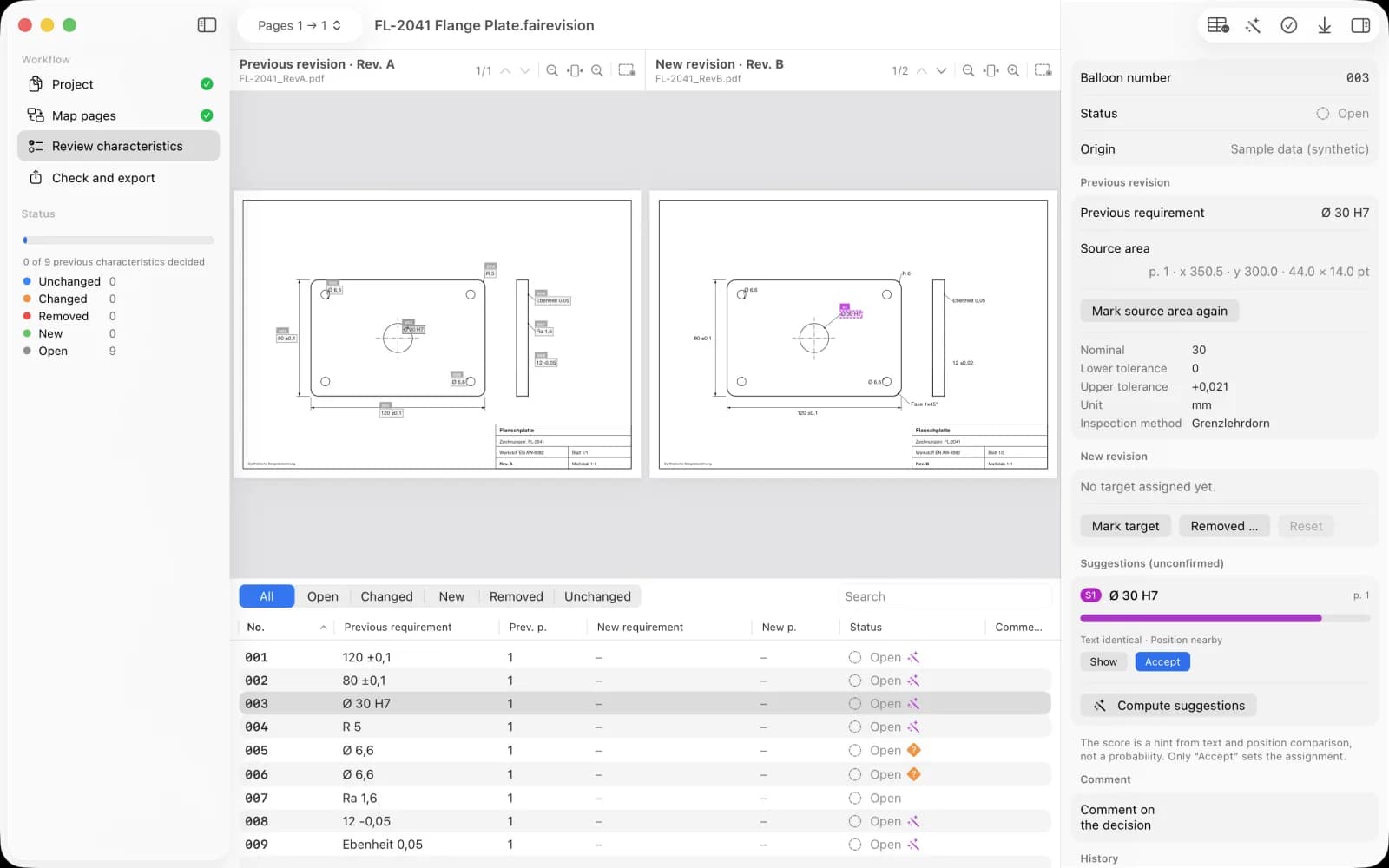
For each open characteristic FAIRevision looks for identical or similar text at a matching position in the new revision. Moved and changed callouts are found, but never transferred on their own.
Mac app by ProjectMakers
Carry inspection characteristics into the new revision.
Your drawing has a new revision? FAIRevision suggests where each confirmed characteristic moved. You decide every transfer, balloon numbers stay stable, and you finish with an annotated PDF and an XLSX characteristic list with change matrix.
€19.99 one-time on the Mac App Store. No subscription, no account.
How it works
Choose the previous and the new drawing. FAIRevision stores checksummed copies in the project, your originals stay untouched.
Each previous page gets its new page. Added or removed sheets are decided explicitly.
Import characteristics from CSV or mark them in the previous PDF. Text and position matching suggests targets, you confirm.
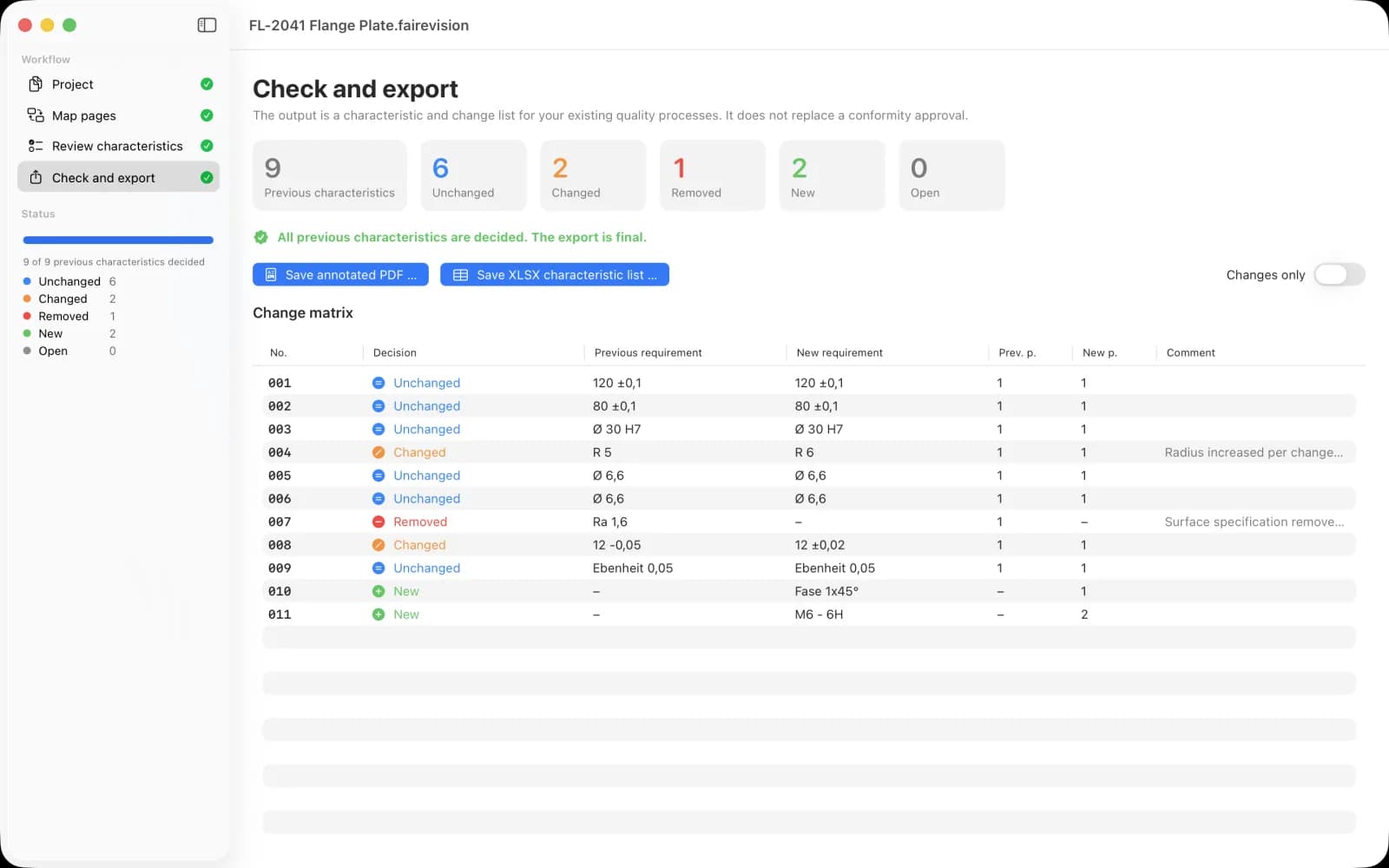
Annotated new drawing with balloons and a characteristic list with change matrix. Incomplete states only as DRAFT.
What makes FAIRevision different
For each open characteristic FAIRevision looks for identical or similar text at a matching position in the new revision. Moved and changed callouts are found, but never transferred on their own.
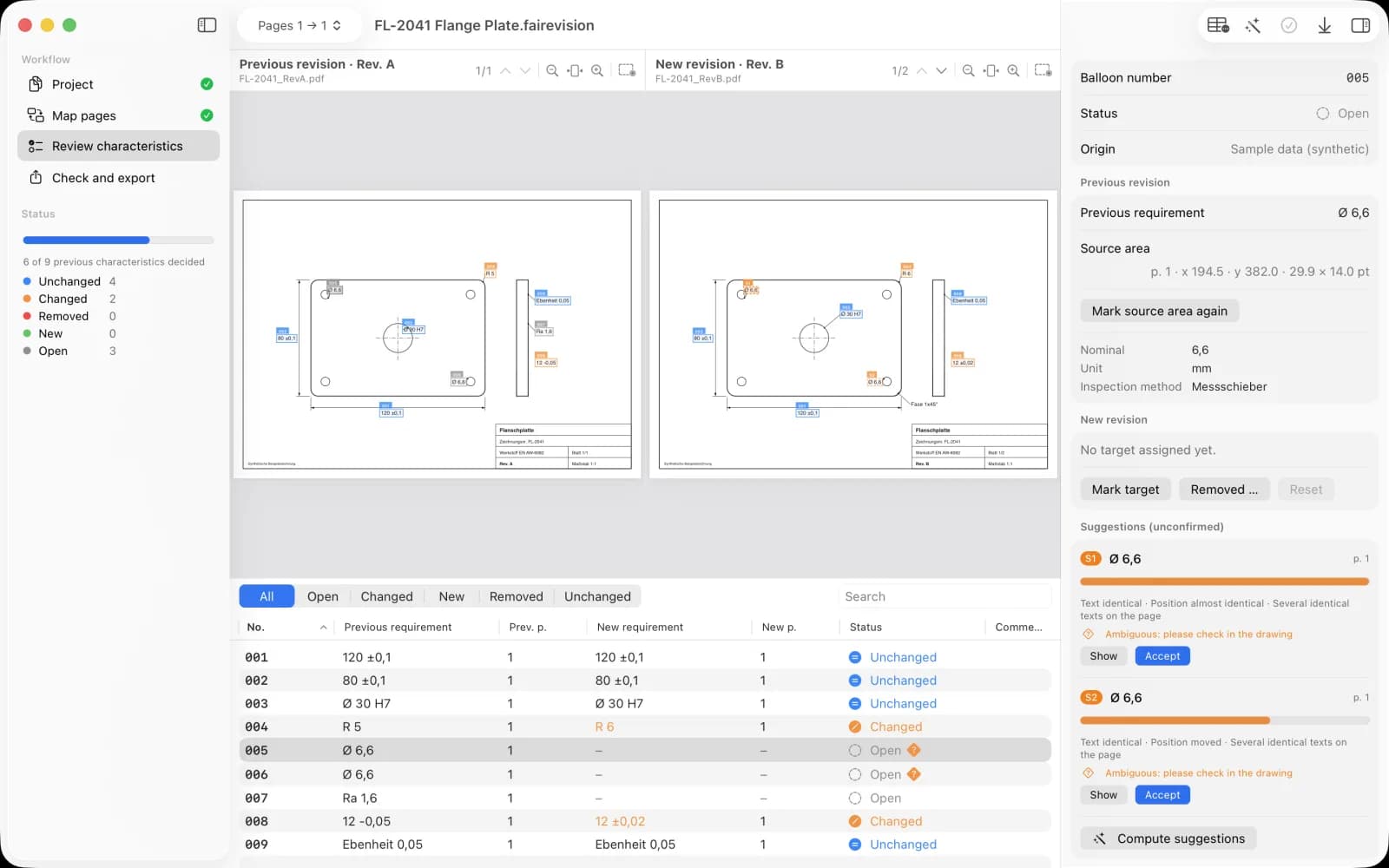
Identical texts on a page, for example two holes Ø 6,6, require your choice. Two characteristics cannot be assigned to the same area, and without a hit a characteristic stays open.
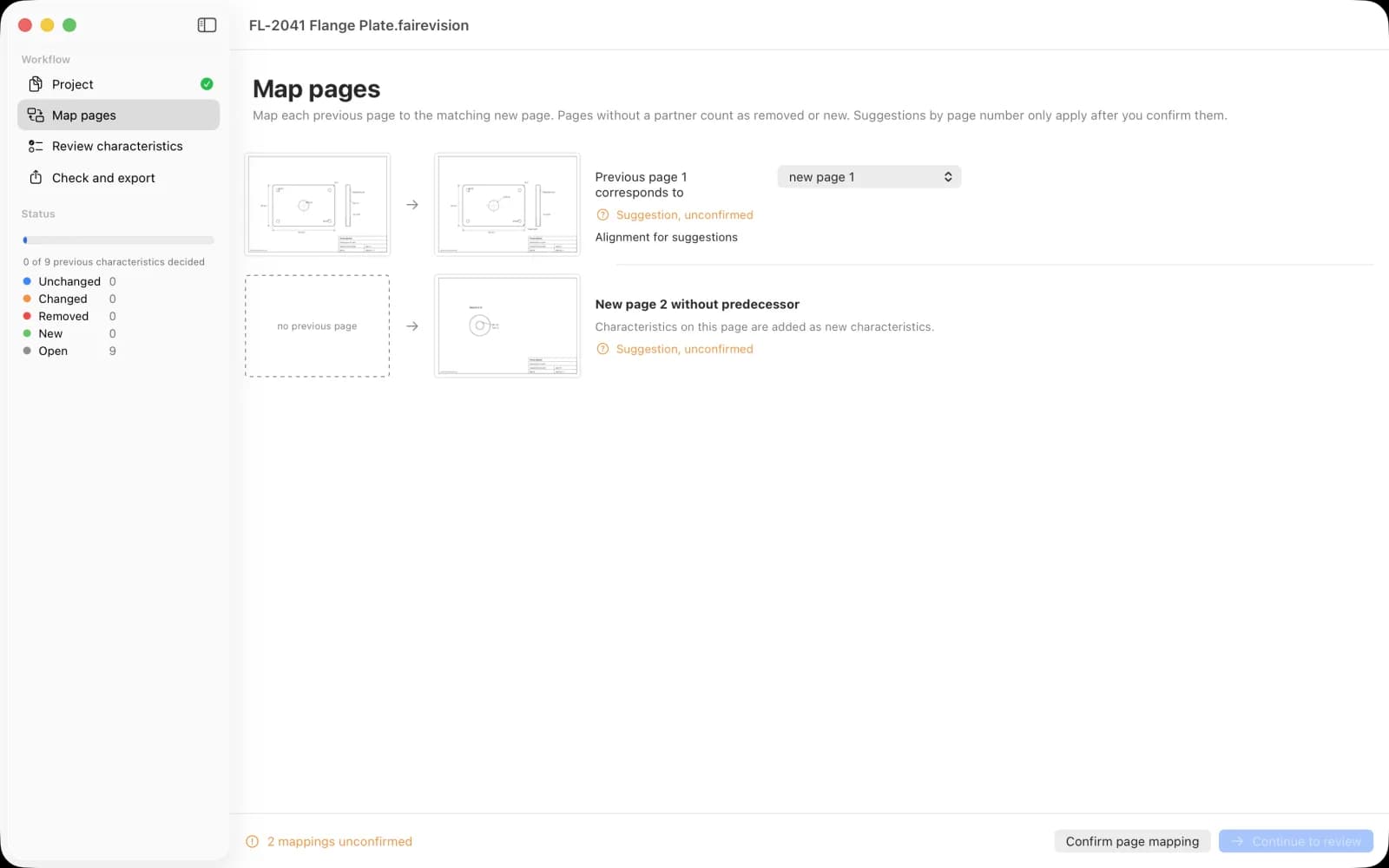
Page pairs are suggested and only used after you confirm them. If a view changes, adjust offset and scale per page pair.
Unchanged, changed, new or removed: every decision appears in the change matrix with previous and new requirement, pages and comment. The XLSX contains the sheets Characteristics, Changes and Project.
Privacy
No account, no server, no AI cloud, no telemetry. FAIRevision opens no network connections and only accesses files you open or save yourself.
App privacy policyFrom a CSV file. Save a template in the app via Help > Save CSV Template. Required columns are balloon number and requirement. Page, nominal, tolerances, unit, inspection method and comment are optional. You then mark the area directly in the previous PDF.
No. FAIRevision stores checksummed copies inside the project file (.fairevision). Markers only exist in the view and in the exported PDF.
Yes. File > Open Sample Project loads a synthetic flange plate in two revisions with moved, changed, removed and new characteristics.
No. FAIRevision produces its own characteristic and change list that you transfer into your existing forms and processes.
Questions, bugs or requests: [email protected]
Please do not send confidential drawings. Describe the behavior or use the sample project.
FAIRevision is made by ProjectMakers in Immenhausen, Germany. Need a tool for your own inspection or manufacturing workflow? Custom software