
Your folder structure stays intact
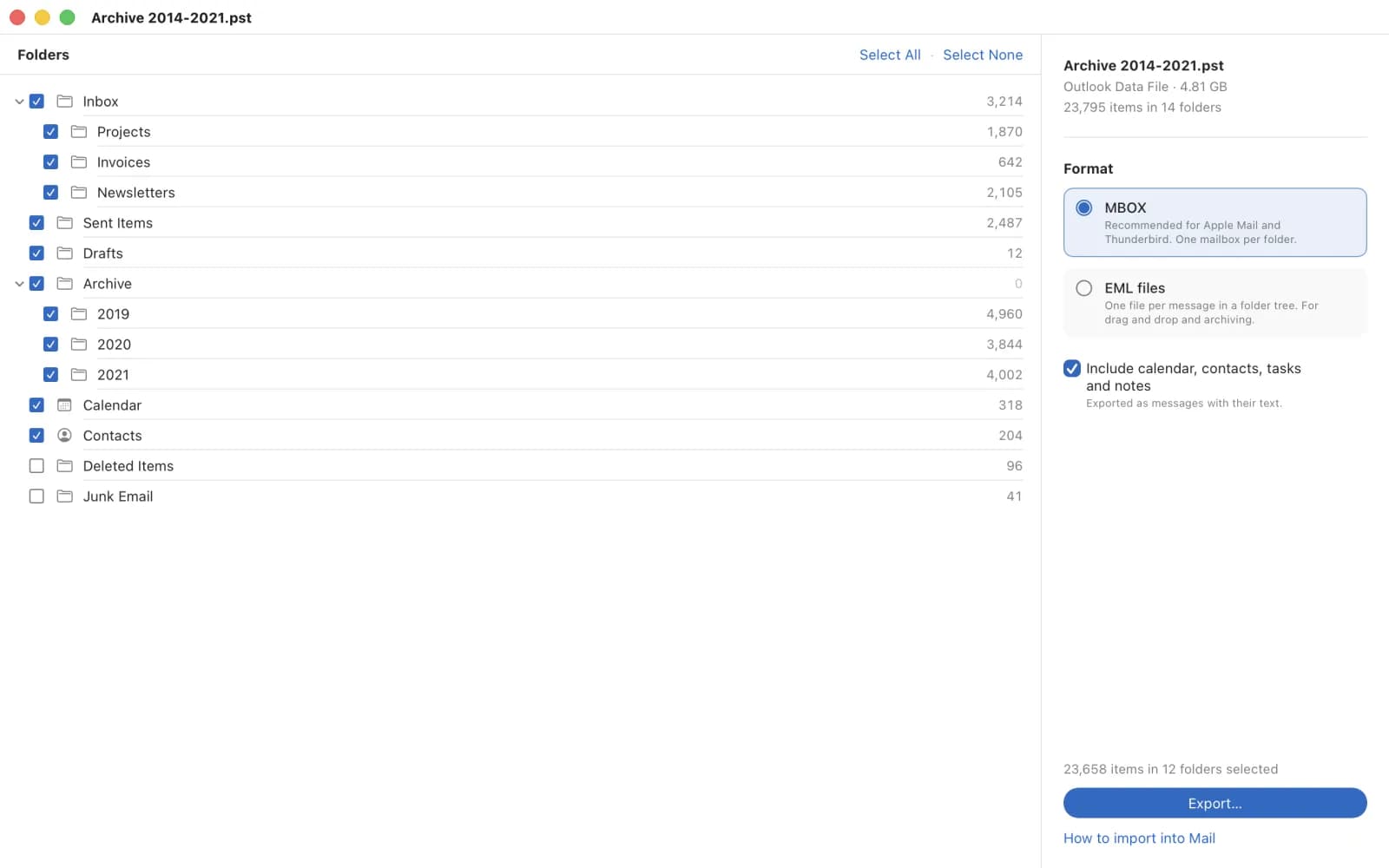
PSTBridge reads the whole archive including subfolders and shows how many items each folder holds. In MBOX format every folder becomes a mailbox of its own, in EML format a folder with one file per message.
Mac app by ProjectMakers

Open old Outlook archives on your Mac and bring them into Apple Mail.
Do you have a PST file from an old Windows PC, a backup or a former employer? PSTBridge shows its folders, you choose, and you get MBOX mailboxes or EML files with every attachment. You need neither Outlook nor Windows.
€4.99 one-time purchase on the Mac App Store. No subscription, no account.
How it works
Drag the file onto the window or choose File > Open. The file is only read and never changed.
The folder tree shows every folder with its item count. Take everything or only single folders.
MBOX for Apple Mail and Thunderbird, or EML as single files. Every export goes into a new folder.
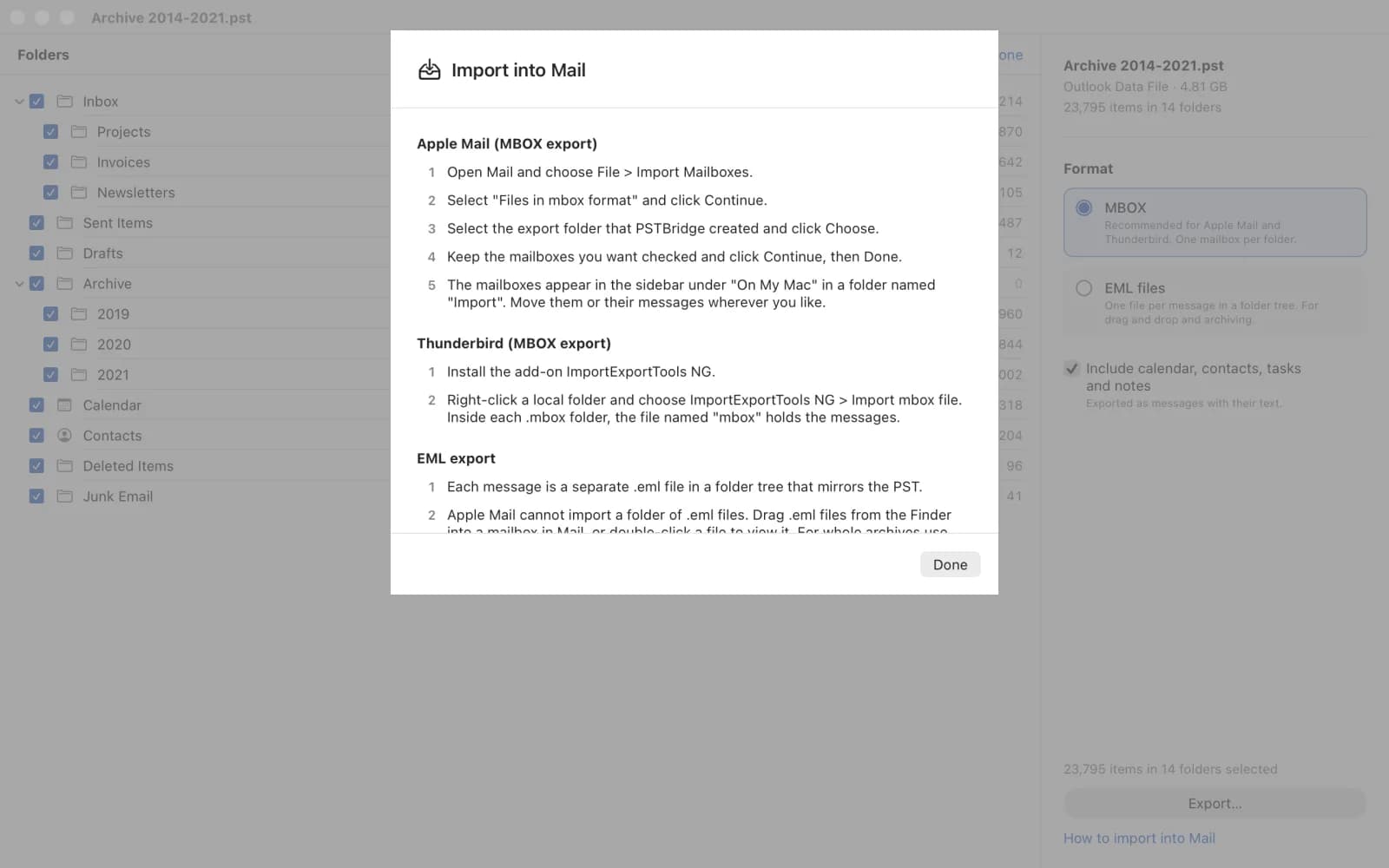
File > Import Mailboxes, choose Files in mbox format, select the export folder. The guide is built into the app.
What makes PSTBridge different
PSTBridge reads the whole archive including subfolders and shows how many items each folder holds. In MBOX format every folder becomes a mailbox of its own, in EML format a folder with one file per message.
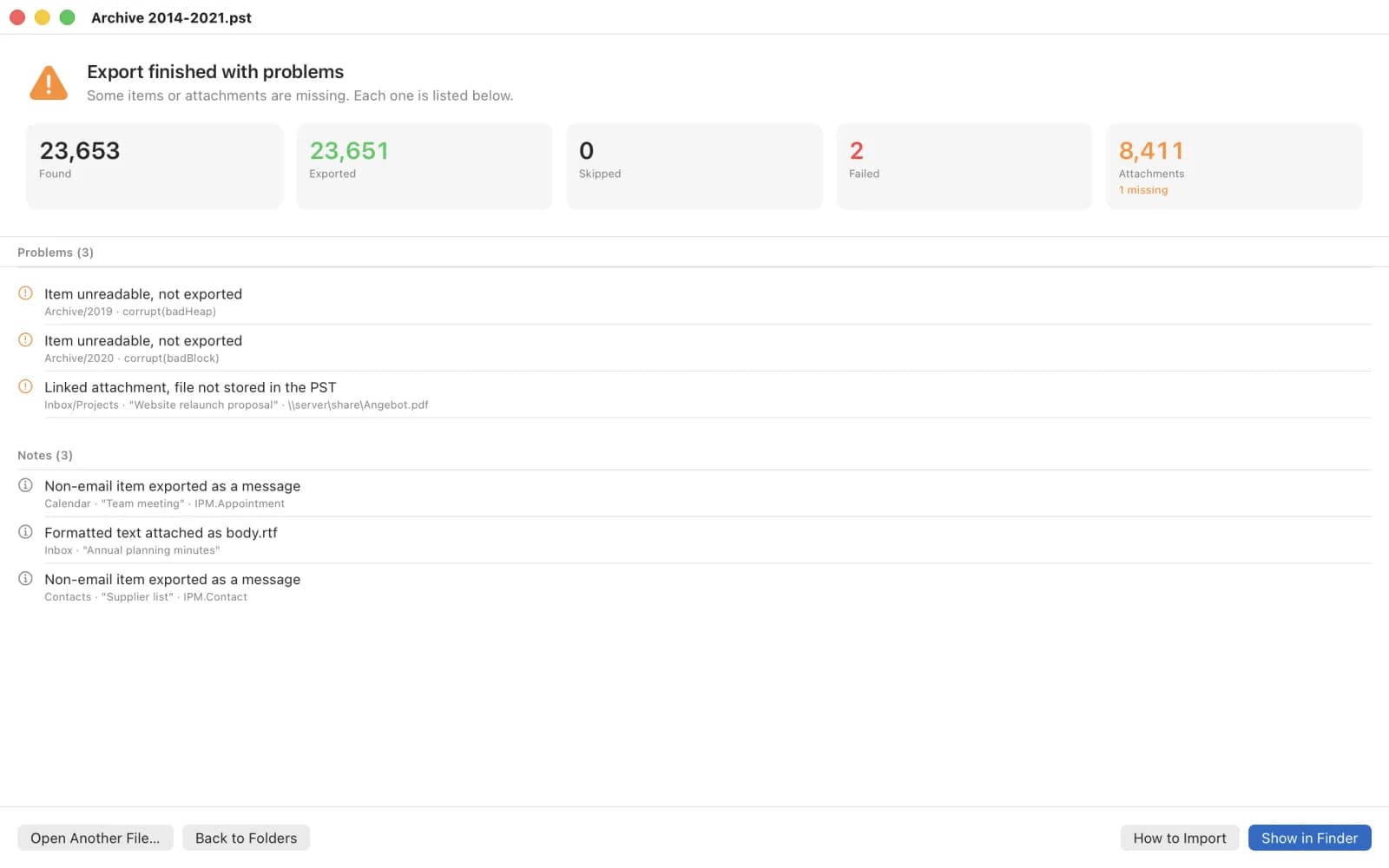
Subject, sender, recipients, date, HTML and plain text, inline images and every stored attachment are carried over. Anything that cannot be exported, such as a damaged item or an attachment that is only linked, is listed one by one with the reason.
The built-in guide walks you through the import into Apple Mail and Thunderbird. A copy is saved as a text file in the export folder, next to the report.
Privacy
No account, no server, no upload, no telemetry. PSTBridge makes no network connections and only accesses the PST file and the destination folder you choose.
App privacy policyNo. PSTBridge reads the PST format itself. All you need is the PST file and a Mac with macOS 13 or later.
MBOX for Apple Mail and Thunderbird. Every folder becomes a mailbox that Mail imports via File > Import Mailboxes. EML suits archiving, searching in Finder and dragging single messages.
No. The file is only read. Every export goes into a new folder and existing files are never overwritten.
Remove the password in Outlook for Windows under File > Account Settings > Data Files > Settings > Change Password and open the file again in PSTBridge.
Every item and attachment that could not be exported is listed there with the reason. Linked attachments are not stored in the PST file and cannot be exported. For damaged files the Inbox Repair Tool (scanpst.exe) in Outlook for Windows often helps.
Questions, bugs or wishes, please write to [email protected]
Please include your macOS version and, if available, the contents of the export report. Do not send PST files with private content.
PSTBridge is a product by ProjectMakers from Immenhausen, Germany. Need a tool for your own data migration? Custom software