
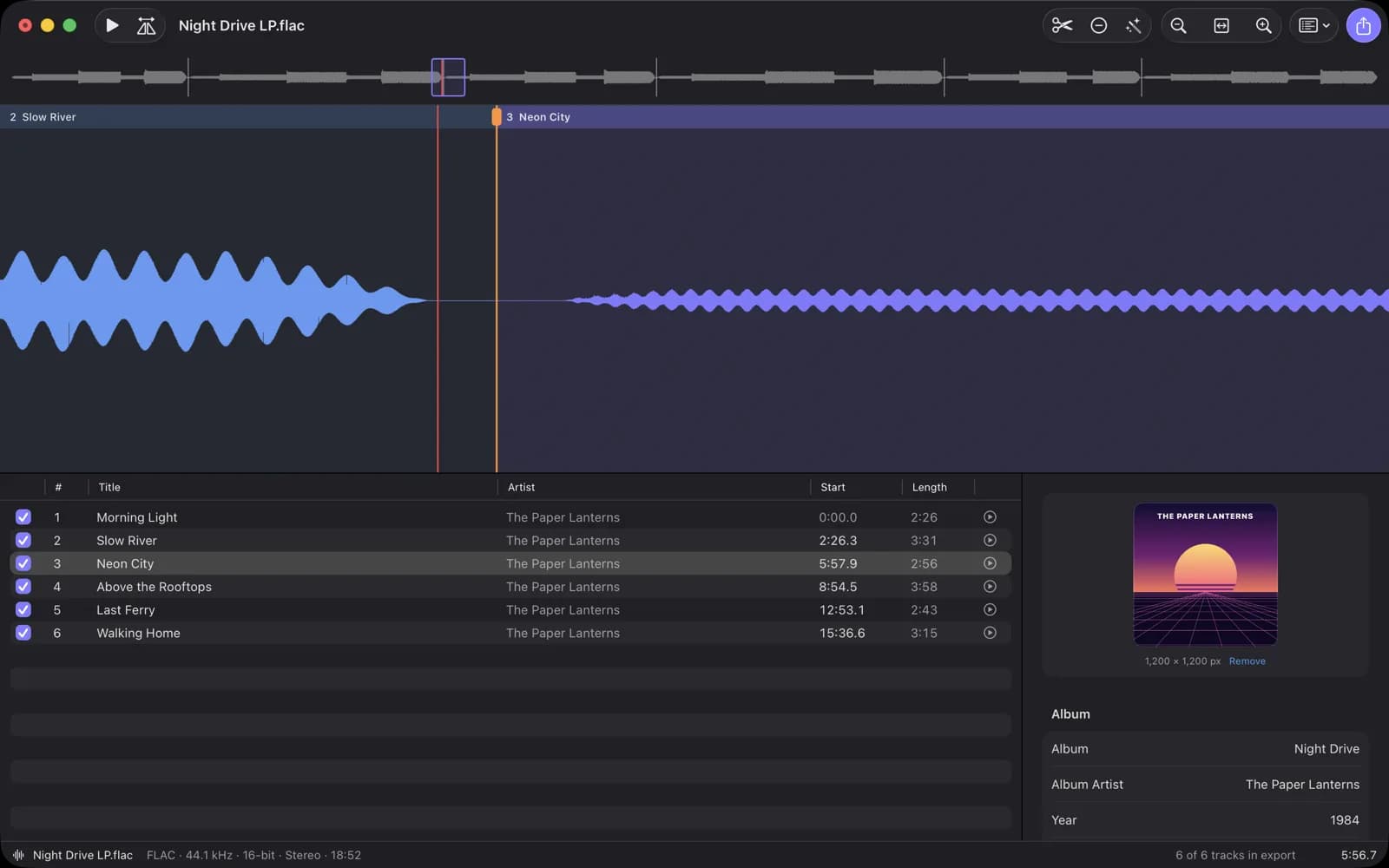
Hear and place every split
Zoom into single waves of the recording, drag splits with the mouse or nudge them in 10 ms steps. The export cuts at exactly the sample you heard in the preview. Every step can be undone.
Mac app by ProjectMakers
One recording in. Finished tracks out.
Have a record side, a cassette or a concert as one long file? TrackSplit proposes a split at every pause. You listen, adjust and export named, numbered and tagged tracks with cover art. The original stays untouched.
€9.99 one-time purchase on the Mac App Store. No subscription, no account.
How it works
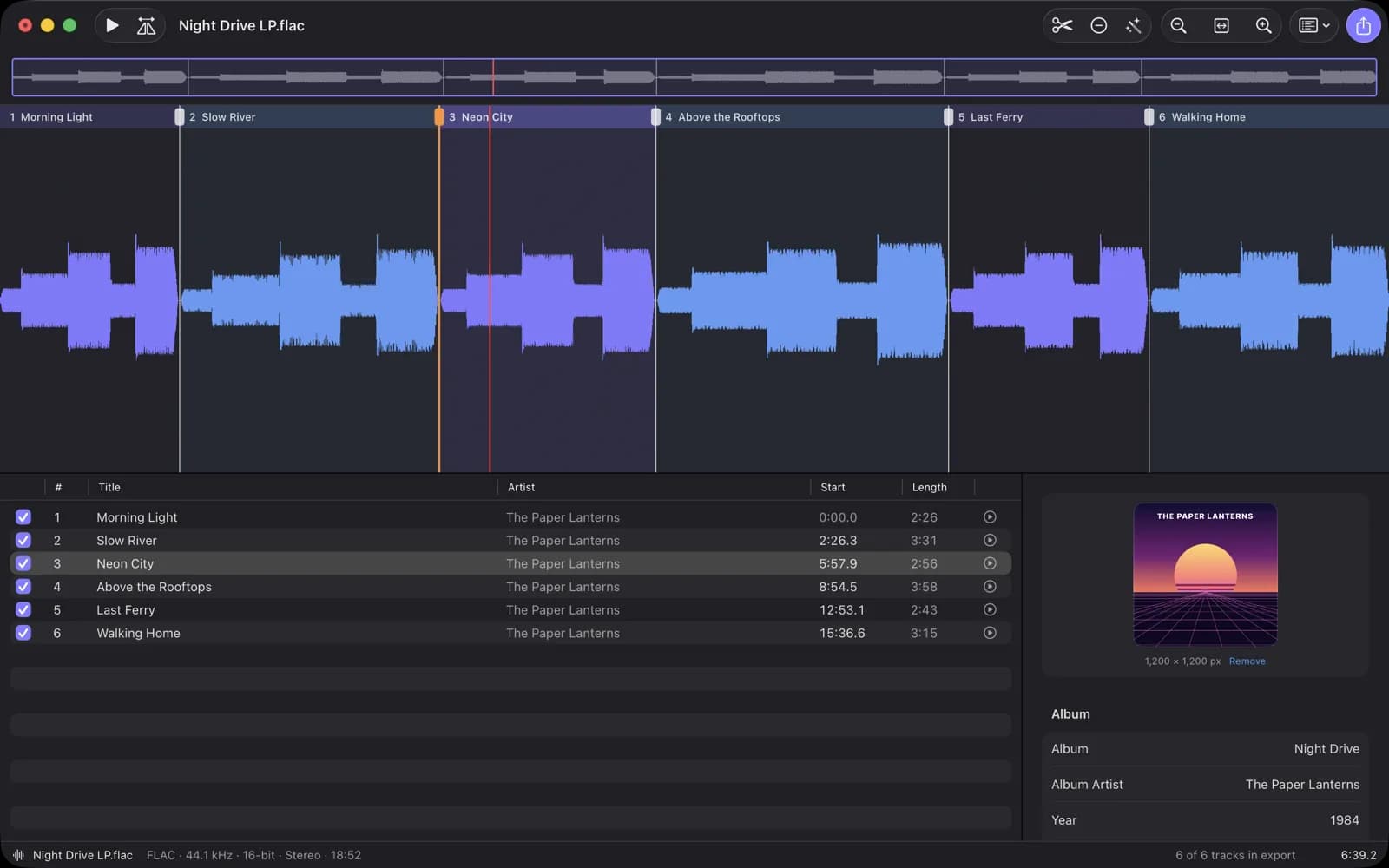
Drop a WAV, AIFF, FLAC, MP3 or M4A file into the window. TrackSplit draws the waveform and finds the pauses between songs.
Preview three seconds around each proposal, drag it to the right spot, add or remove splits.
Paste a track list or import a CUE sheet. Add album, artist, year, genre and cover art.
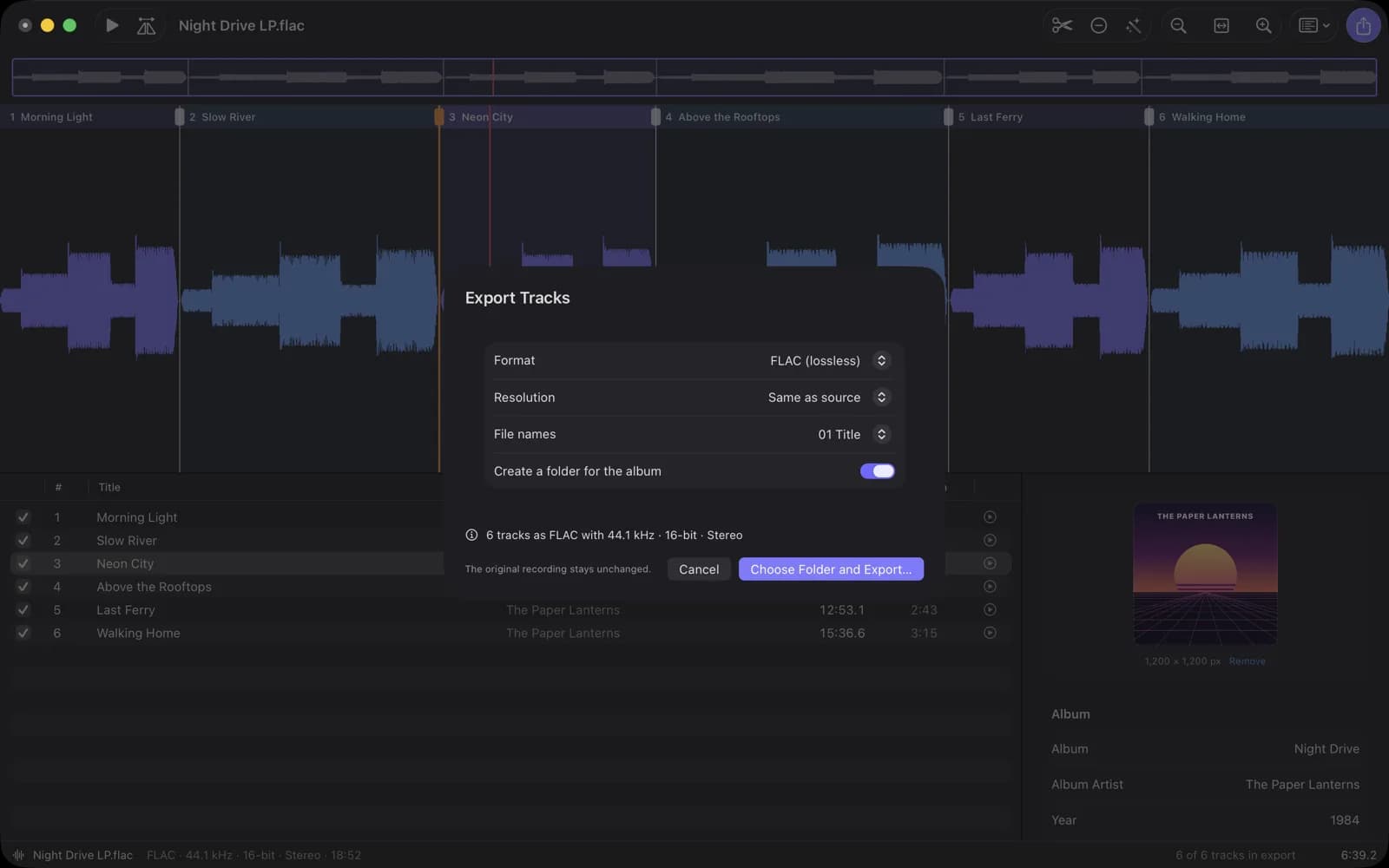
Save every track in one go as FLAC, Apple Lossless, AIFF, WAV or AAC, optionally in an album folder.
What makes TrackSplit different
Zoom into single waves of the recording, drag splits with the mouse or nudge them in 10 ms steps. The export cuts at exactly the sample you heard in the preview. Every step can be undone.
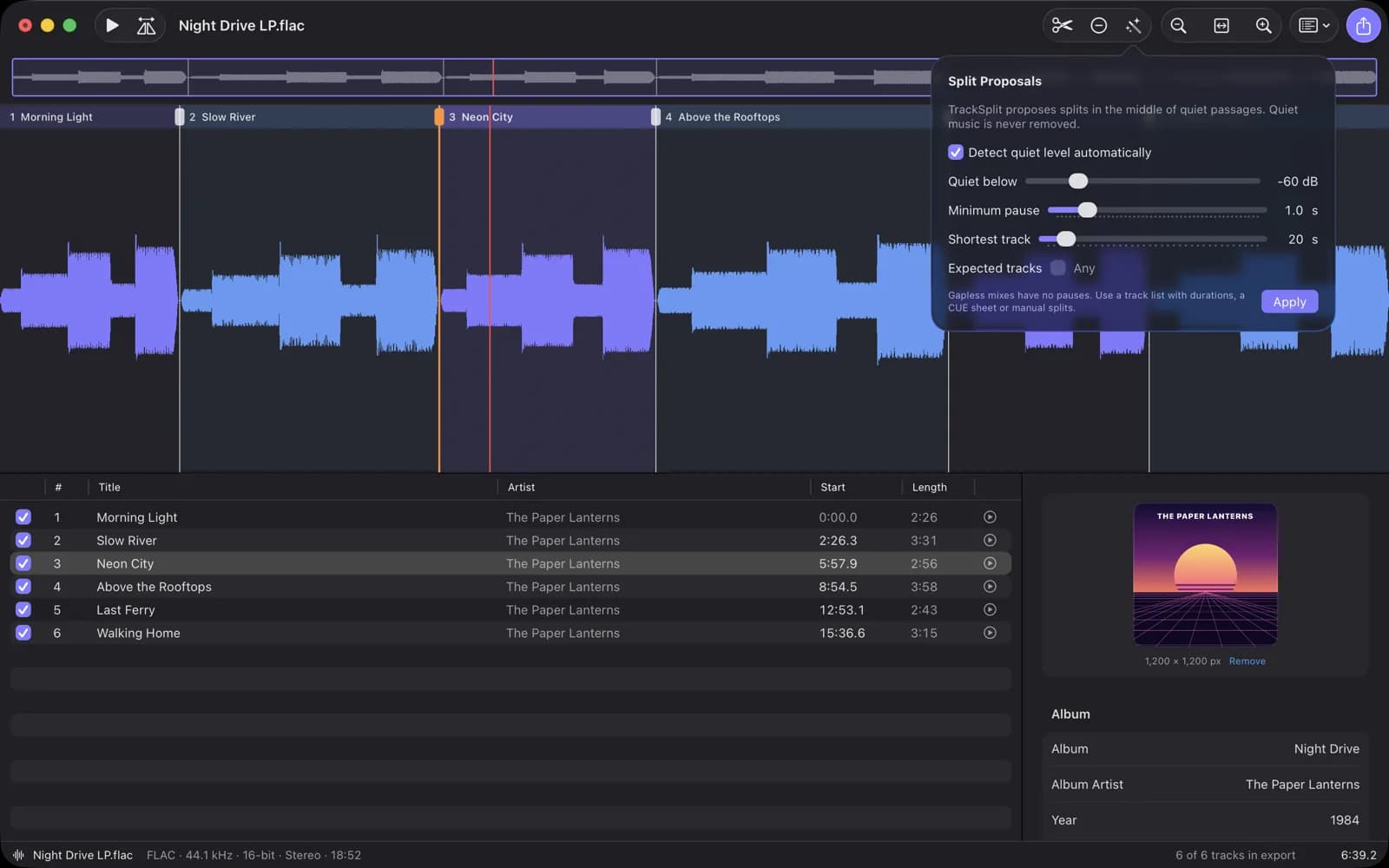
Splits go into the middle of quiet passages. No audio is ever removed, and the tracks always cover the whole recording. You set the quiet level, minimum pause, shortest track and the expected number of tracks.
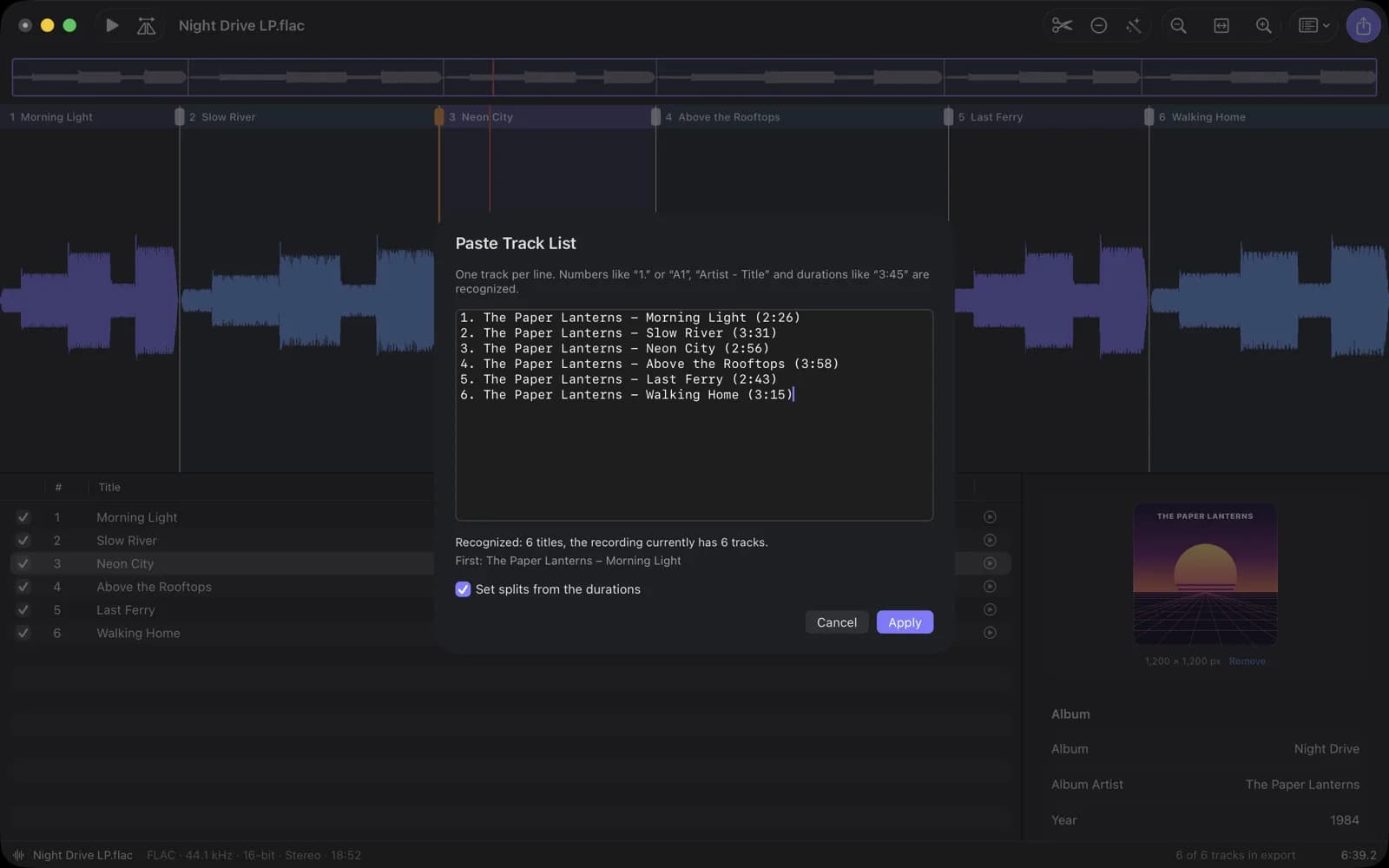
Copy the track list from the sleeve or the web. Numbers, “Artist - Title” and durations are recognized. For gapless mixes the durations or a CUE sheet place the splits.
FLAC and Apple Lossless keep every sample, AIFF and WAV stay uncompressed, AAC is there for small files. Sample rate and bit depth are shown before the export. Title, album, numbers, year, genre and cover art go into every file.
Privacy
No account, no upload, no subscription, no telemetry. TrackSplit makes no network connections and only accesses files you open or save yourself.
App privacy policyClick Proposals in the toolbar. Turn off automatic detection and raise the quiet level, or shorten the minimum pause. For gapless mixes, paste a track list with durations, import a CUE sheet or add splits by double-clicking the waveform.
FLAC, Apple Lossless, AIFF and WAV keep every sample at the shown resolution. Only AAC re-encodes. If you reduce 24-bit to 16-bit, TrackSplit adds dither and tells you before the export.
TrackSplit writes INFO and ID3 tags into WAV and AIFF, but not every app reads them. FLAC and Apple Lossless tags and covers are read by almost all players.
No. TrackSplit only reads the recording. Each track is first written as a hidden partial file and only gets its name once it is complete. A cancelled export leaves no half-written files.
Open the project. TrackSplit asks you to locate the recording and checks that it is the same file.
Questions, bugs or ideas: please write to [email protected]
Please include your macOS version and, if possible, the format of the recording. Do not send audio files you do not own the rights to.
TrackSplit is made by ProjectMakers in Immenhausen, Germany. Need a tool for your own workflow? Custom software