
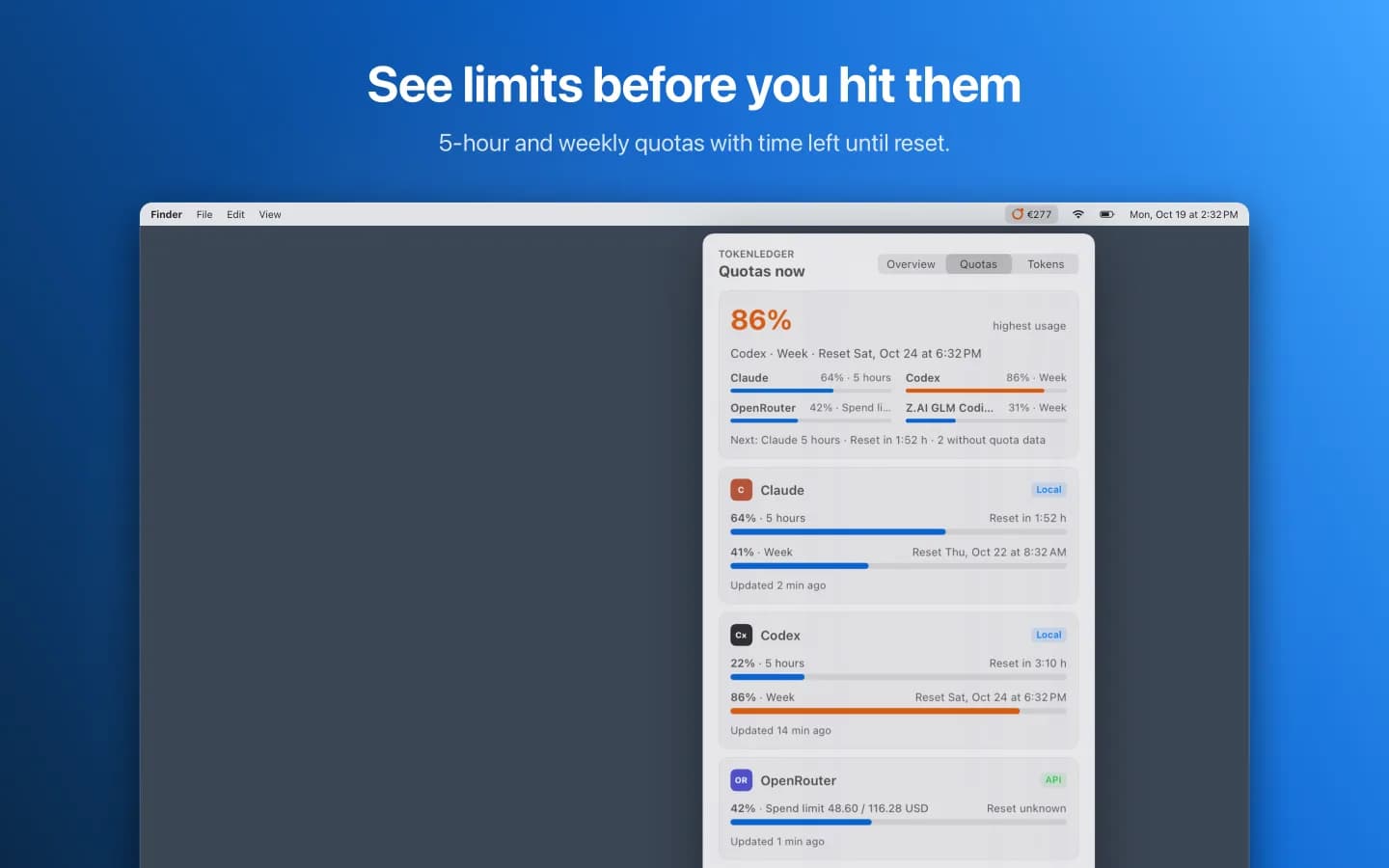
See limits before you hit them
5-hour and weekly quotas for Claude Code, Codex and Z.AI plus the spending limit of your OpenRouter key, each with the time left until reset. The header shows the tightest quota and what resets next.
Mac app by ProjectMakers

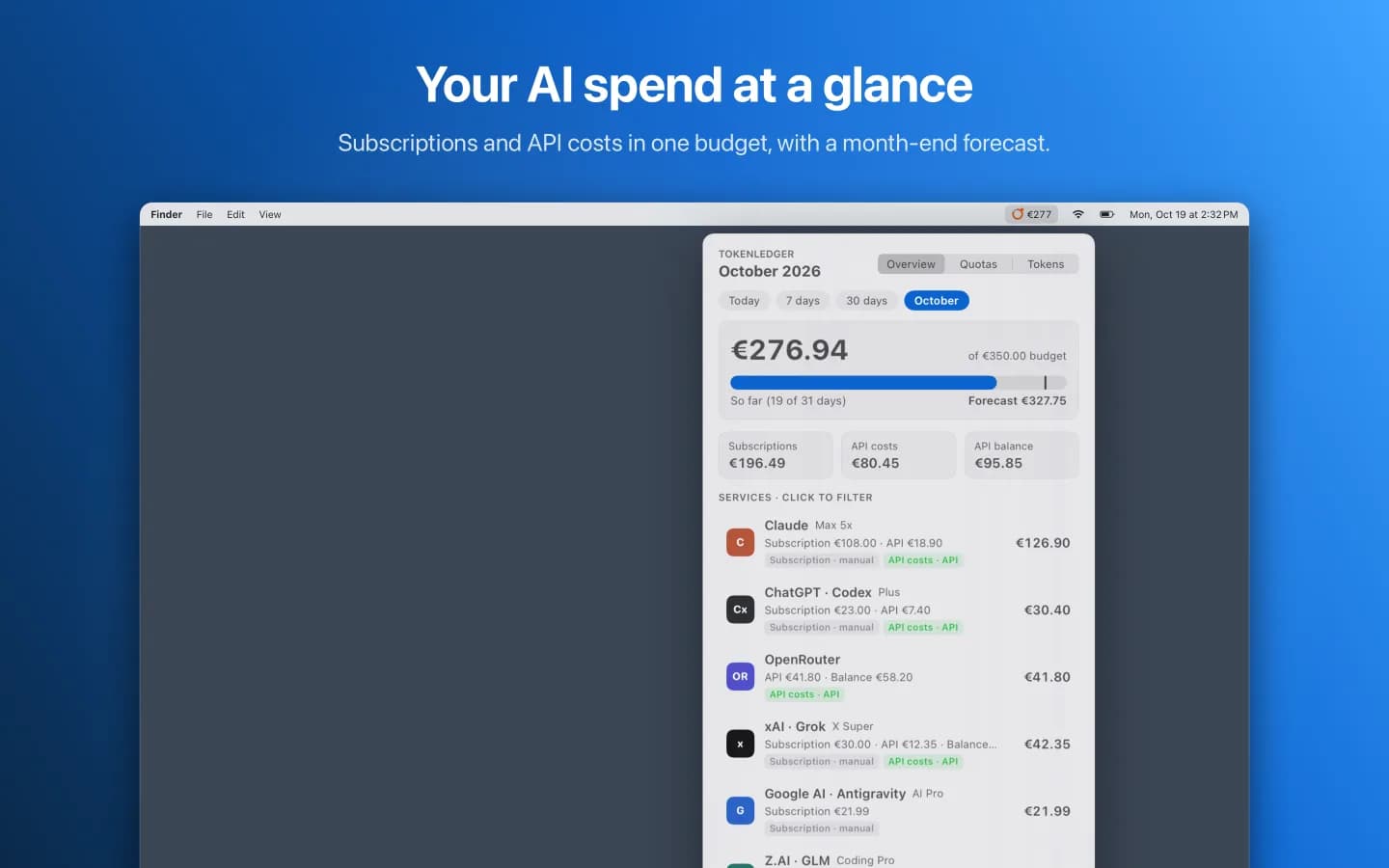
Your AI budget in the menu bar.
Working with several AI services means subscriptions and API credit in half a dozen places. Limits hide in command-line tools, costs sit in web consoles in dollars, subscriptions show up on your bank statement. One click on TokenLedger shows this month's AI spend, the quota you have left and the tokens you have used.
€4.99 one-time purchase on the Mac App Store. No subscription, no account.
How it works
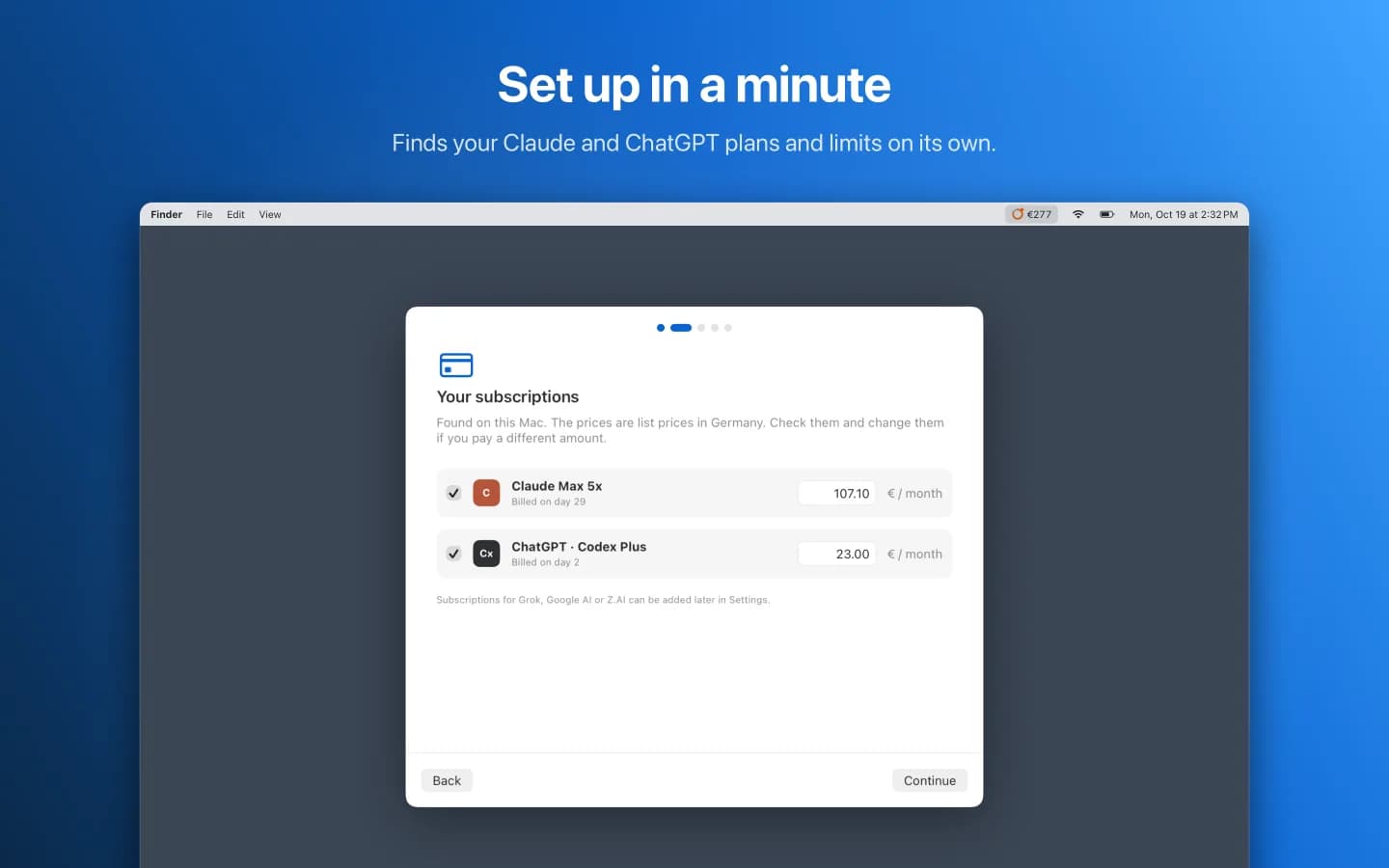
On first launch the setup assistant opens. It finds your Claude and ChatGPT plans on its own. You only confirm plan and price.
The assistant sets up Claude Code limits in one click. It reads Codex tokens and limits locally.
For API costs, paste a key. TokenLedger recognizes the service. Keys are stored in your Mac's keychain.
Click the menu bar icon to see costs, quotas and tokens.
What makes TokenLedger different
5-hour and weekly quotas for Claude Code, Codex and Z.AI plus the spending limit of your OpenRouter key, each with the time left until reset. The header shows the tightest quota and what resets next.
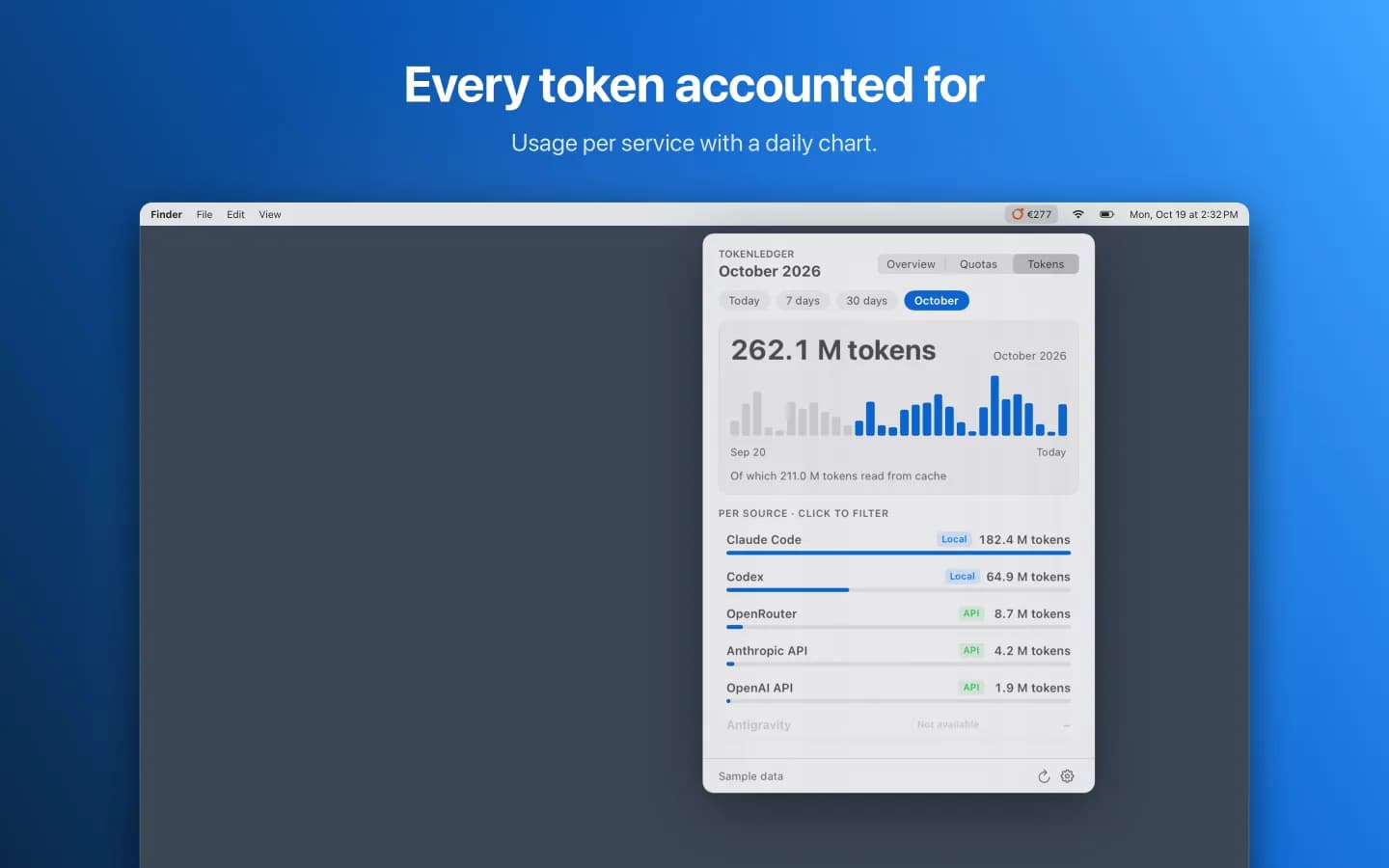
The Tokens tab shows usage per service with a daily chart. Choose 24 hours, 7 days, 30 days or the current month. Switching the range recalculates instantly without a new request.
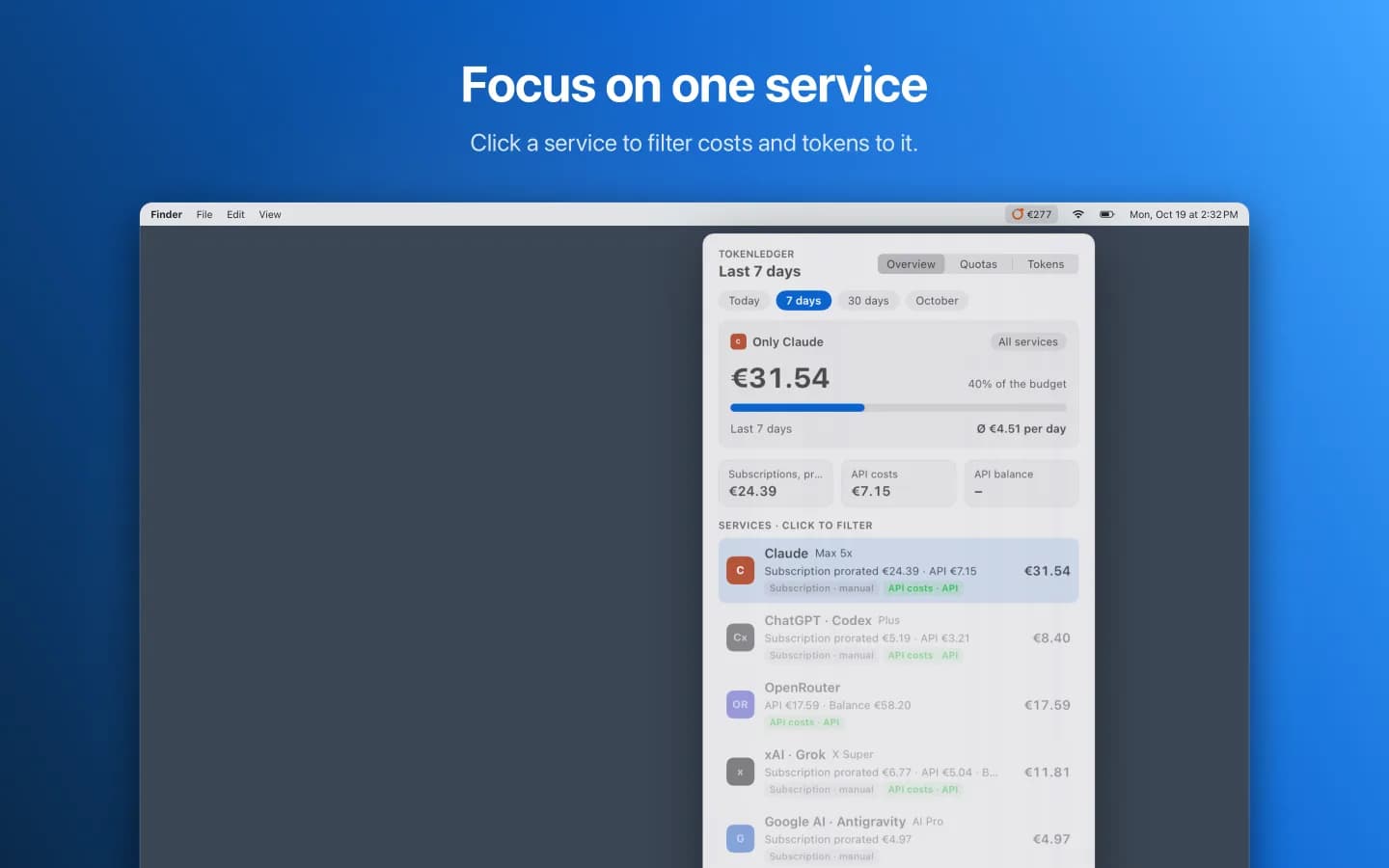
Click a service and the overview or tokens show only that service. Subscription costs are prorated for shorter ranges. Every value shows where it comes from: API, local, unofficial or manual.
The setup assistant finds your Claude and ChatGPT plans on your Mac and suggests the list price. It sets up Claude Code limits in one click. When you paste an API key, it recognizes the service it belongs to.
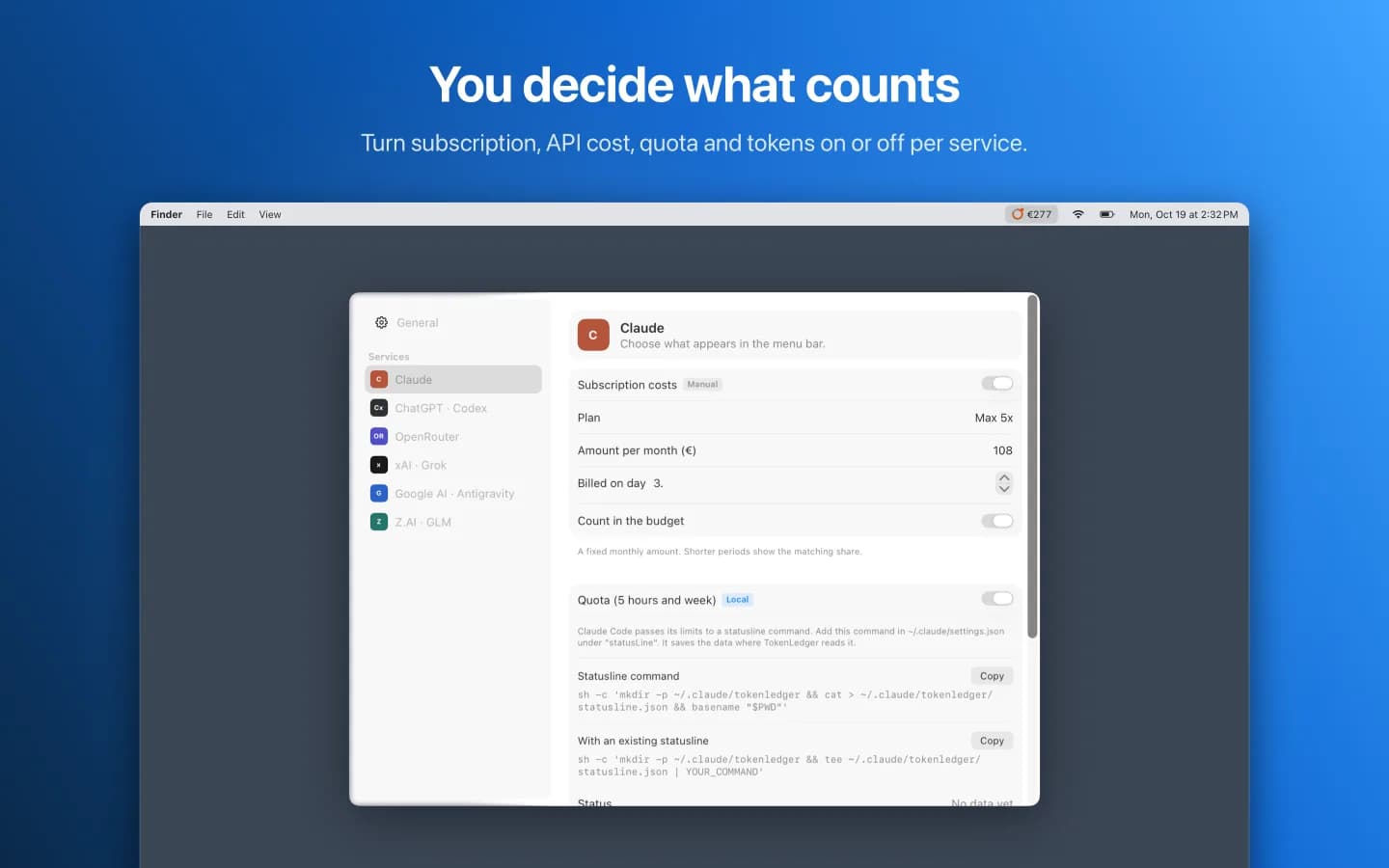
Choose per service whether subscription, API costs, quota and tokens appear. The menu bar icon shows the monthly total, the budget percentage or the tightest quota. TokenLedger converts dollar amounts at a rate you set yourself.
Privacy
No account, no telemetry, no data collection. API keys are stored in the macOS keychain. Requests go only to the AI services you set up yourself. Claude Code and Codex logs are only read.
App privacy policyClaude Code, Codex, OpenRouter, xAI, the OpenAI and Anthropic APIs, and Z.AI. Antigravity and Grok subscriptions can be added as manual costs.
Only in your Mac's keychain, in entries owned by the app. They never appear in settings files and are only sent to the service they belong to.
The setup assistant asks once for read access to your home folder. TokenLedger reads the local Claude Code and Codex logs from there. Claude Code limits come from a file written by a status line command. With one click the assistant adds this command to Claude Code and backs up your previous settings first.
Most services bill in US dollars. TokenLedger converts at a rate you set in the settings. The rate is never fetched from the internet.
Every five minutes and each time you open the menu bar window.
Questions, bugs or ideas: please write to [email protected]
Please include your macOS version and the service concerned. Never send API keys by email.
TokenLedger is made by ProjectMakers in Immenhausen, Germany. Need a tool for your own workflow? Custom software