
App by ProjectMakers for Mac, iPad, iPhone and Android
SmartCam2
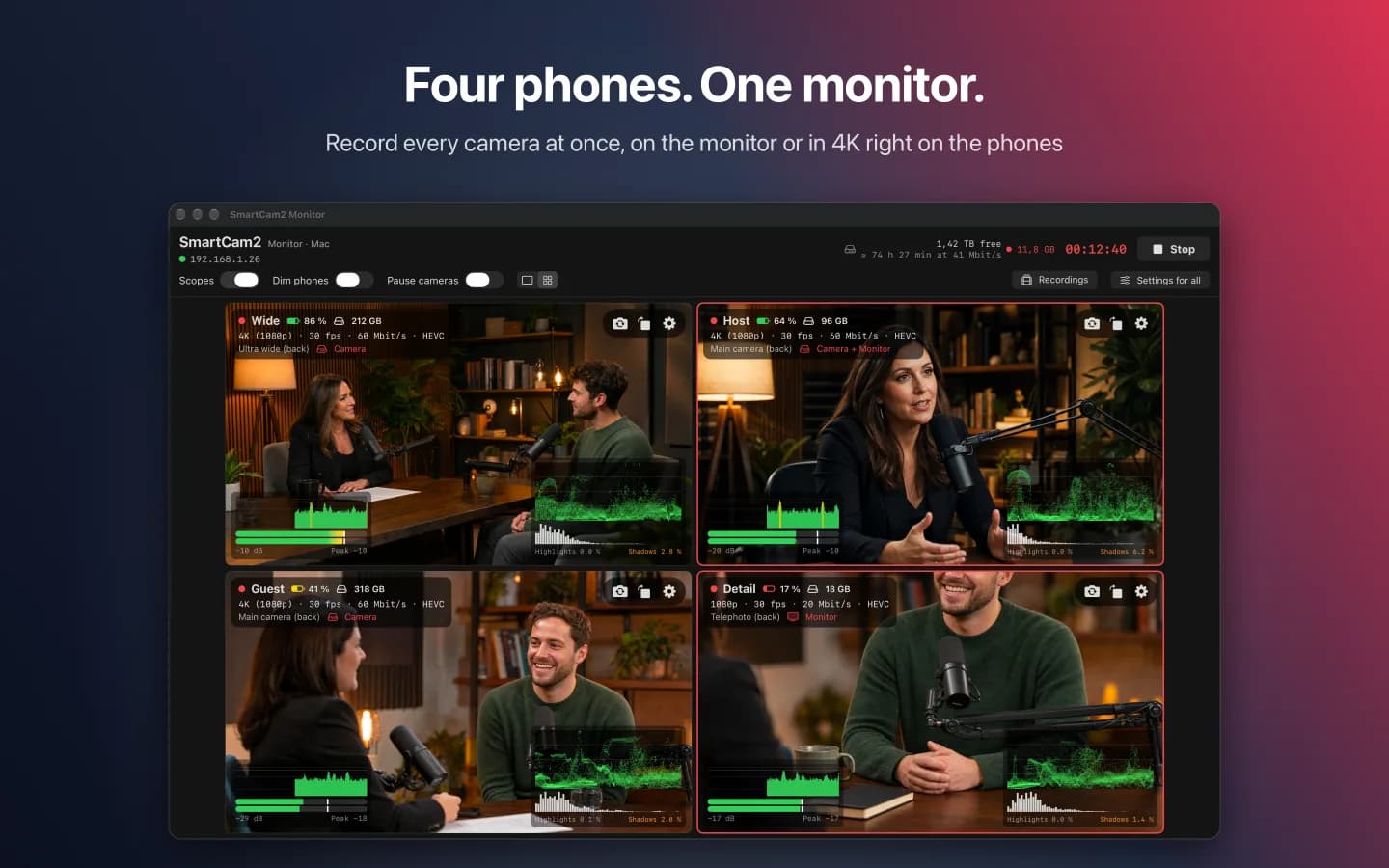
Four phones. One monitor.
SmartCam2 turns your phones, older ones included, into wireless cameras. On your Mac, iPad or iPhone you see up to four cameras live with sound, check levels and exposure and start recording on all of them at once. For interviews, podcasts and events.
Monitor: macOS 14, iPadOS 17 or iOS 17 · Camera: iOS 17 or Android 10
Coming soon to the App Store and Google Play.
Monitor free with one camera up to 1080p. SmartCam2 Pro unlocks up to four cameras and 4K recording: €9.99 once, one purchase for Mac, iPad and iPhone. The camera apps are free. No subscription, no account.
Ready to record in minutes
From phone to multicam.
Monitor and cameras need to be on the same Wi-Fi. No internet connection is required.
- 01
Install the camera app
Install the free SmartCam2 Kamera app on your phones: from the App Store for iPhone or from Google Play for Android.
- 02
Open the monitor
Open SmartCam2 Monitor on your Mac, iPad or iPhone on the same Wi-Fi. The cameras find the monitor and connect automatically.
- 03
Set it up
Choose resolution, frame rate and where to record: on the monitor, on the phones or both. Lens and rotation can be controlled remotely.
- 04
Record all
One click on “Record all” starts every camera at the same moment.
Three apps, one system
Monitor and cameras.
SmartCam2 Monitor
Mac, iPad and iPhone
Shows up to four cameras live, starts recording and manages your recordings. One purchase works on all your Apple devices. On iPad and iPhone, the device's own camera can serve as an additional camera.
Free with one camera up to 1080p, SmartCam2 Pro €9.99 once for up to four and 4K
SmartCam2 Kamera
iPhone
Turns your iPhone into a camera for the monitor. Picture and sound travel live over Wi-Fi, and the iPhone can record in full quality.
Free on the App Store
SmartCam2 Kamera
Android
The same camera features for Android phones running Android 10 or later, so older Android devices can be used as cameras too.
Free on Google Play
Recording
Full quality on the phone, a light proxy on the monitor.
The phones record in full quality up to 4K (with SmartCam2 Pro) right on the device while the monitor shows a light proxy stream. Or record on the monitor in HEVC or H.264, or in both places. Before a phone runs out of storage, its recording stops on its own.
- “Record all” starts every camera at once
- Switch lenses and rotate the picture by 90°, also remotely. The rotation is applied to the recording on the phone too
- Pause cameras: the phones save battery, stay connected and are back with one click
- Dim the phone screens, a tap brings them back
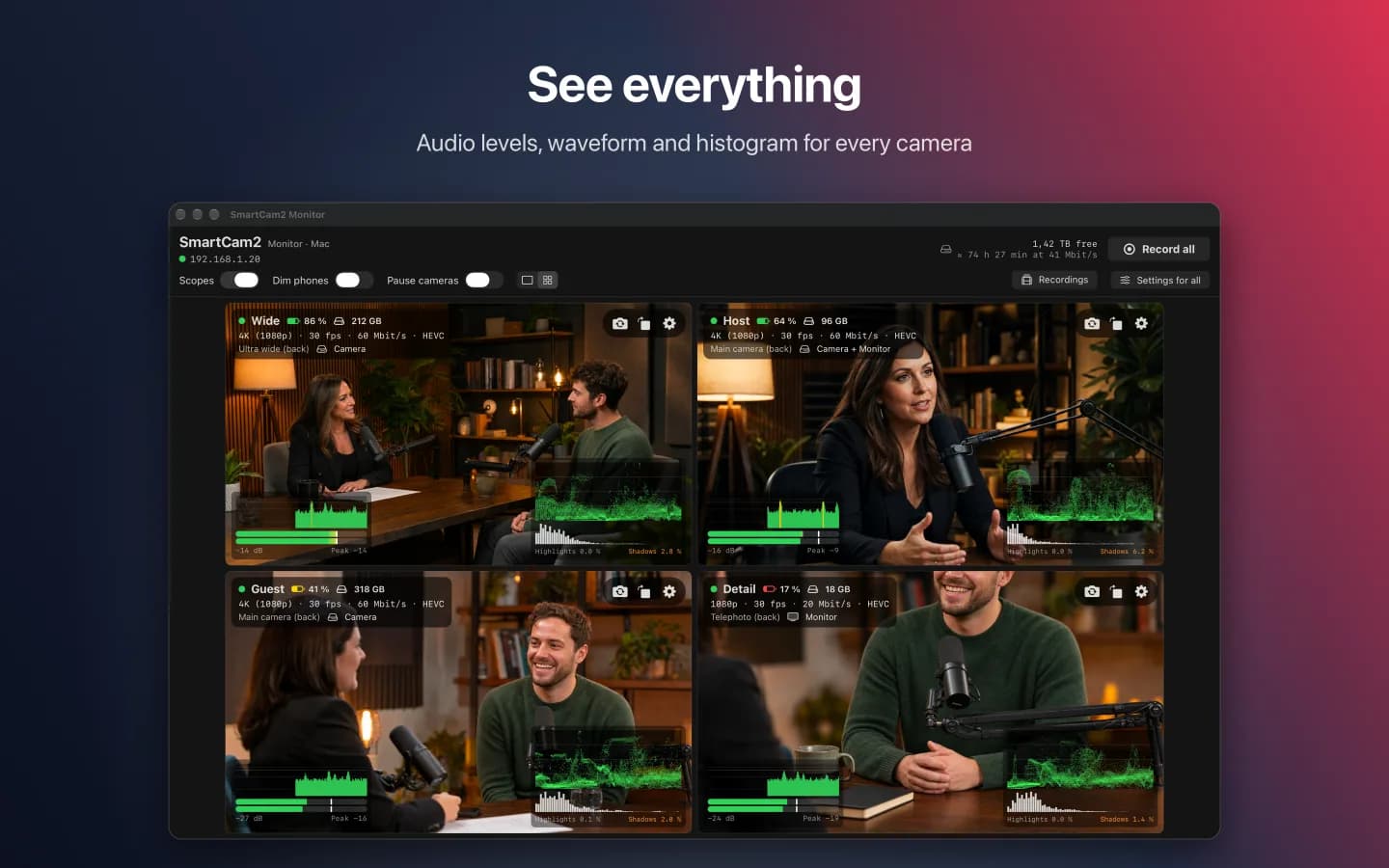
See everything
Meters and scopes for every camera.
For every camera you see audio meters with history, waveform and histogram, plus the share of clipped highlights and crushed shadows. Battery, free storage and recording state of every phone are shown as well. When you only want the picture, switch to the compact view.
Recordings
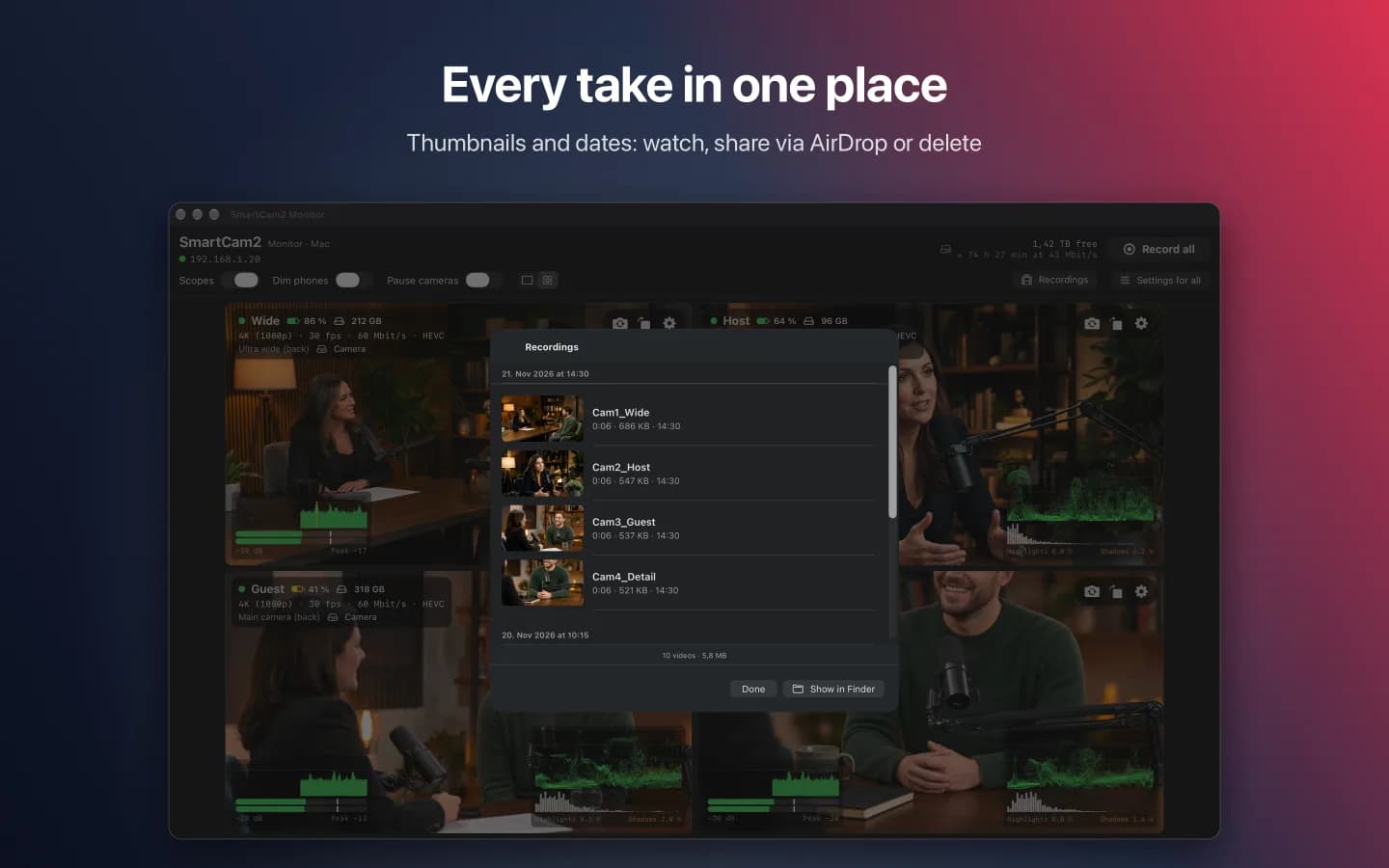
Every take in one place.
The recordings list shows your videos with thumbnails and dates. You can watch them, share them, for example via AirDrop, or delete them. On the Mac you can open the recordings folder in Finder.
The camera app
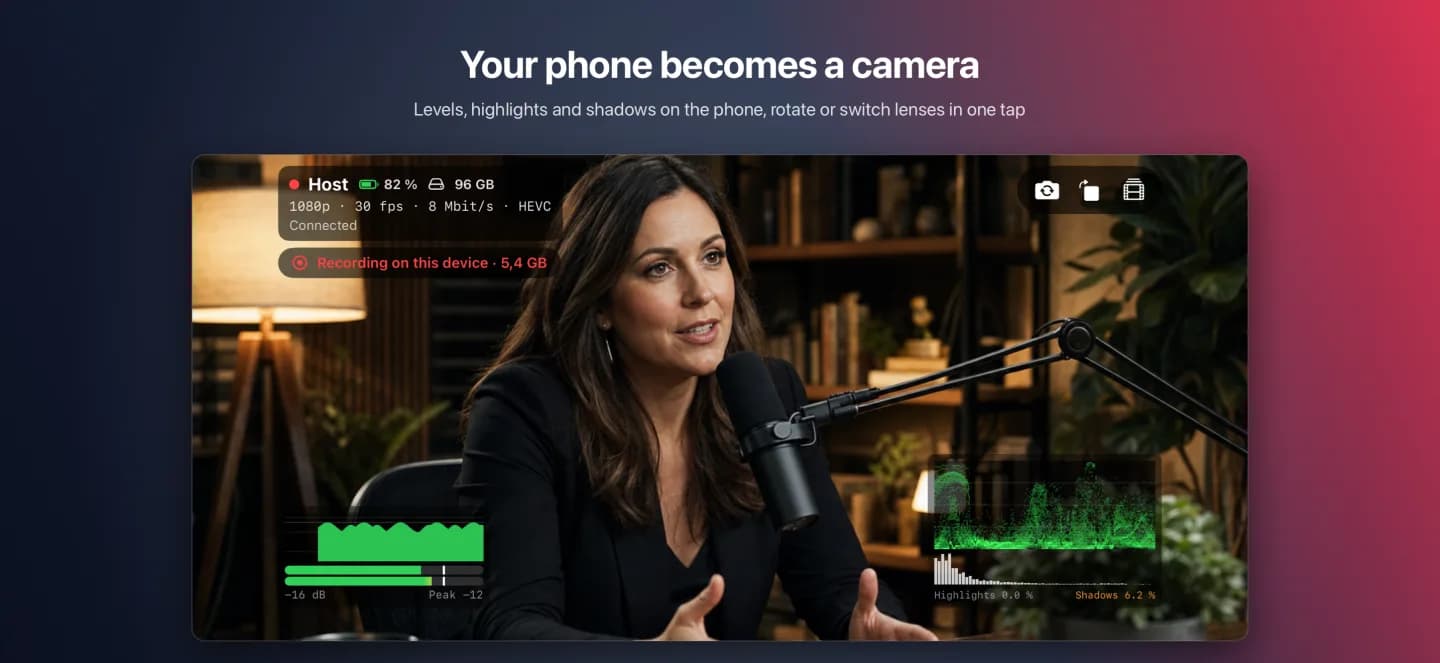
Your phone becomes a camera.
SmartCam2 Kamera finds the monitor on your Wi-Fi and sends picture and sound to it live. Levels, highlights and shadows, battery and storage are shown right on the phone too. Every lens can be selected: ultra wide, main, telephoto and front camera, as far as your device has them.
Your footage stays with you
Local. No account. No cloud.
Picture and sound travel only over your local network, directly from your phones to your monitor. SmartCam2 needs no internet, no account and no server. Recordings stay on your devices. The apps contain no analytics or advertising services.
Privacy policy for SmartCam2Good to know
- Monitor and cameras need to be on the same Wi-Fi. Networks that isolate devices from each other, such as some guest or hotel networks, will not work.
- Without a purchase the monitor shows one camera and records up to 1080p. SmartCam2 Pro unlocks up to four cameras at once and 4K recording. The built-in camera of an iPad or iPhone counts as a camera.
- The Mac does not use its own camera. It shows and records the pictures from the phones.
- How many cameras run smoothly at which quality depends on your Wi-Fi and devices. Recording on the phones stays in full quality regardless.
Frequently asked questions
Which phones can I use as cameras?
iPhones running iOS 17 or later with SmartCam2 Kamera from the App Store, and Android phones running Android 10 or later with SmartCam2 Kamera from Google Play. Older phones get a new job, too.
What does SmartCam2 cost?
The camera apps are free. SmartCam2 Monitor is free with one camera up to 1080p. The in-app purchase SmartCam2 Pro unlocks up to four cameras and 4K recording for a one-time €9.99, on Mac, iPad and iPhone. There is no subscription.
Do I need internet or an account?
No. Monitor and cameras connect directly on your local Wi-Fi. There is no account, no upload and no cloud.
Where are recordings saved?
Depending on your settings on the monitor, on the phones or in both places. On the phone the recording is made in full quality up to 4K (with SmartCam2 Pro), on the monitor in the quality of the live stream.
Can I try the monitor on an iPad without a second device?
Yes. On iPad and iPhone the monitor can use the device's own camera as a camera. For more cameras, install SmartCam2 Kamera on your phones.
Support by ProjectMakers
Help with SmartCam2.
Questions about SmartCam2 or trouble connecting? Write to [email protected].
Please name the devices and system versions of your monitor and cameras and briefly describe your Wi-Fi. Please do not send recordings or other private content.